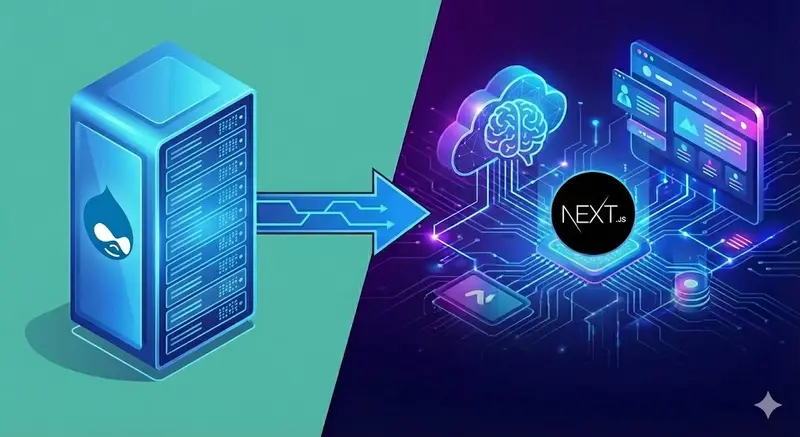

Drupal kept a generation of SaaS products alive. It handled content modeling, workflows, and permissions when nothing else existed. But the teams running those sites now want modern UX, multi-tenant SaaS features, and AI copilots.
The problem with most headless Drupal approaches: they bypass Drupal’s permission system. Your frontend fetches content via JSON:API, but it doesn’t know if the current user should actually see that content. You end up reimplementing access control in JavaScript - or worse, exposing unpublished content.
jsonapi_frontend solves this with permission-aware path resolution. The /jsonapi/resolve endpoint checks $entity->access('view') before returning JSON:API URLs. Unpublished content? Restricted access? The resolver returns “not found” - your frontend never sees it.
Why jsonapi_frontend?
| Challenge | jsonapi_frontend solution |
|---|---|
| Permission bypass in headless | Resolver checks $entity->access('view') before returning URLs |
| Complex migration tooling | Single endpoint + optional TypeScript client |
| All-or-nothing migration | Hybrid mode: migrate routes incrementally |
| Drupal still needed for admin | Keep Drupal running alongside Next.js permanently |
| Security theater | Access control enforced at the API layer, not frontend |
Key differentiator: Permission-aware resolution
# Request resolution for a path
curl "https://your-drupal.com/jsonapi/resolve?path=/members-only&_format=json"

# If user lacks access:
{ "resolved": false }

# If user has access:
{
  "resolved": true,
  "kind": "entity",
  "jsonapi_url": "/jsonapi/node/page/abc123",
  "headless": true
}
The resolver respects Drupal’s entity access system. Node unpublished? User lacks role? Content restricted by Workbench Access? The resolver handles it. Your frontend just renders what it receives - no access logic needed.
Two deployment modes
1. Split routing (run alongside Drupal)
Drupal stays on the main domain. Your router/CDN sends selected paths to Next.js:
/blog/*     → Next.js (headless)
/docs/*     → Next.js (headless)
/*          → Drupal (traditional)
Best for:
- Gradual migration
- Teams that still need Drupal’s admin UI
- Sites where some sections must stay on Drupal
Example: Cloudflare Worker
export default {
  async fetch(request) {
    const url = new URL(request.url)
    const frontend = "https://my-site.vercel.app"

    const headlessPrefixes = ["/blog", "/docs"]
    if (headlessPrefixes.some((p) => url.pathname.startsWith(p))) {
      return fetch(new Request(frontend + url.pathname + url.search, request))
    }

    return fetch(request) // falls through to Drupal
  },
}
2. Frontend-first (Next.js on main domain)
Next.js handles the main domain. Drupal runs on a subdomain (cms.example.com) as the content API:
example.com      → Next.js (primary)
cms.example.com  → Drupal (admin + API)
Best for:
- Full modernization
- Teams ready to commit to Next.js
- Sites that want modern hosting (Vercel, Netlify)
Quick start
1. Install the Drupal module
composer require drupal/jsonapi_frontend
drush en jsonapi_frontend
Configure at /admin/config/services/jsonapi-frontend:
- Choose deployment mode (split routing or frontend-first)
- Select which content types are headless
- Enable cache revalidation webhooks (optional)
2. Install the TypeScript client (optional)
npm i @codewheel/jsonapi-frontend-client
3. Resolve paths and fetch content
import { resolvePath, fetchJsonApi } from "@codewheel/jsonapi-frontend-client"

export async function getPage(path: string) {
  const resolved = await resolvePath(path)

  if (!resolved.resolved) {
    return null // 404 - path doesn't exist or user lacks access
  }

  if (resolved.kind === "entity") {
    return fetchJsonApi(resolved.jsonapi_url)
  }

  // For Views (requires jsonapi_views module)
  if (resolved.kind === "view") {
    return fetchJsonApi(resolved.data_url)
  }

  return null
}
4. Next.js App Router integration
// app/[...slug]/page.tsx
import { resolvePath, fetchJsonApi } from "@codewheel/jsonapi-frontend-client"
import { notFound } from "next/navigation"

export default async function Page({ params }: { params: { slug: string[] } }) {
  const path = "/" + params.slug.join("/")
  const resolved = await resolvePath(path)

  if (!resolved.resolved || resolved.kind !== "entity") {
    notFound()
  }

  const doc = await fetchJsonApi(resolved.jsonapi_url)
  const node = doc.data

  return (
    <article>
      <h1>{node.attributes.title}</h1>
      <div dangerouslySetInnerHTML={{ __html: node.attributes.body?.processed }} />
    </article>
  )
}
Migration + AI modernization blueprint
Phase 1: Foundations (2-4 weeks)
- Set up Next.js 16 with Turbopack, shadcn design system, Vercel environments
- Install
jsonapi_frontendon Drupal, configure headless bundles - Provision Supabase (Postgres, Auth, Storage, pgvector) with RLS
- Build shared libraries for tenant context and prompt guardrails
Phase 2: Content & SEO parity (4-8 weeks)
- Map Drupal content types to Next.js components
- Use
resolvePath()to handle all entity routing dynamically - Migrate media to Supabase Storage or Vercel Blob; update to Next.js
Image - Preserve URL structure - the resolver handles path aliases automatically
- Add ISR with cache revalidation via jsonapi_frontend webhooks
Phase 3: Identity & permissions (3-5 weeks)
- Replace Drupal auth with Clerk/Auth0/Supabase Auth (SAML/OIDC for enterprise)
- Import users: export Drupal accounts and seed new identity provider
- Map Drupal roles to modern RBAC (
tenant_admin,member,billing) - Key advantage: jsonapi_frontend respects Drupal permissions during transition
Phase 4: AI enablement (parallel to Phases 2-3)
-
RAG pipeline
- Chunk Drupal content (docs, KB, release notes) using headings and metadata
- Embed via OpenAI text-embedding-3-small; store in pgvector with
tenant_id - Build hybrid search (vector + keyword) with reranking
- Ship AI doc assistant with citations
-
Agent workflows
- Identify repetitive tasks (publishing, approvals, ticket routing)
- Expose safe tool APIs with RBAC and logging
- Use MCP servers on Vercel Edge for agent orchestration
-
Analytics
- Instrument prompts/responses, token usage, tool calls in PostHog
- Track ROI (time saved, support deflection)
Phase 5: Cutover (4-6 weeks)
- Run staging with production data; compare Drupal vs Next.js output
- Gradually route traffic via reverse proxy, then flip DNS
- Keep Drupal read-only for 2-4 weeks while monitoring
- Decommission Drupal once AI improvements are stable
Technical deep dives
Content modeling & data flow
1. Frontend requests: resolvePath("/about-us")
2. Drupal checks: Does path exist? Does user have access?
3. If yes: Returns { resolved: true, jsonapi_url: "/jsonapi/node/page/..." }
4. Frontend fetches: fetchJsonApi(jsonapi_url)
5. Drupal returns: Full JSON:API document with includes/relationships
No data transformation layer needed. JSON:API is your API.
Query building (optional)
import { DrupalJsonApiParams } from "drupal-jsonapi-params"
import { fetchJsonApi } from "@codewheel/jsonapi-frontend-client"

const params = new DrupalJsonApiParams()
  .addFilter("status", "1")
  .addInclude(["field_image", "field_author"])
  .addFields("node--article", ["title", "body", "field_image"])

const articles = await fetchJsonApi(`/jsonapi/node/article?${params.getQueryString()}`)
Views support
Install jsonapi_views to expose Views as JSON:API endpoints:
const resolved = await resolvePath("/blog")

if (resolved.kind === "view") {
  const posts = await fetchJsonApi(resolved.data_url)
  // Returns paginated list from your Drupal View
}
Cache revalidation
Enable webhooks in jsonapi_frontend settings. When content changes in Drupal, it calls your revalidation endpoint:
// app/api/revalidate/route.ts
import { revalidatePath } from "next/cache"

export async function POST(request: Request) {
  const { path, secret } = await request.json()

  if (secret !== process.env.REVALIDATION_SECRET) {
    return Response.json({ error: "Invalid secret" }, { status: 401 })
  }

  revalidatePath(path)
  return Response.json({ revalidated: true })
}
Common pitfalls (and how to avoid them)
-
Trying to migrate everything at once - Start with high-value surfaces (docs, blog); keep Drupal for admin flows.
-
Ignoring content quality - Drupal nodes often contain inline styles or broken HTML; clean before embedding for RAG.
-
Reimplementing permissions in JavaScript - Use jsonapi_frontend’s permission-aware resolution instead.
-
Skipping SEO prep - Build redirect maps early. The resolver handles path aliases, but you need 301s for structural changes.
-
Treating AI as phase 2 - Integrate RAG/agents during migration to prove ROI quickly.
Ready to migrate from Drupal to Next.js?
Migrating from Drupal is an opportunity to ship AI copilots, automate workflows, and raise your security baseline. Choose the engagement that fits:
Option 1: Drupal Migration Assessment
3-hour comprehensive review of your Drupal installation with concrete migration roadmap.
What’s included:
- Drupal architecture and module inventory
- Custom module complexity analysis
- jsonapi_frontend configuration plan
- Deployment mode recommendation (split routing vs frontend-first)
- Migration timeline and effort estimates
Option 2: Hybrid Headless Setup
Run Next.js alongside Drupal using jsonapi_frontend. Migrate routes incrementally without disrupting existing workflows.
What’s included:
- jsonapi_frontend module installation and configuration
- Next.js 16 frontend with App Router
- TypeScript client integration
- Split routing setup (Cloudflare/nginx/Vercel)
- Cache revalidation webhooks
- SEO preservation (sitemaps, redirects)
- Training on hybrid workflow
Option 3: Full Migration + AI Platform
Complete migration from Drupal to Next.js with AI capabilities (RAG, copilots, automation).
What’s included:
- Everything in Hybrid Headless, plus:
- Content migration to Supabase
- RAG pipeline for content search
- AI chat interface with tenant isolation
- Agent automation for workflows
- PostHog analytics and monitoring
- Security hardening (RLS, guardrails)
Not sure which approach fits?
Book a free 30-minute consultation to review your Drupal installation and get personalized recommendations.
Related resources:
- jsonapi_frontend on Drupal.org
- Multi-Tenant SaaS Architecture - RLS and data modeling
- RAG Architecture Guide - Building production RAG systems
Your Drupal site did its job; now it’s time for the AI era.